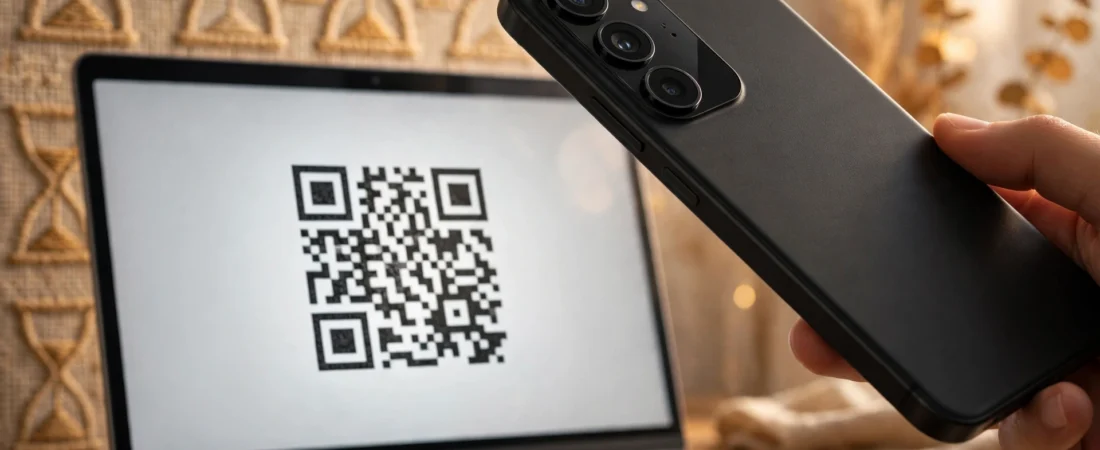
You scanned it yesterday and it worked fine. Today the same code dumps you on a “this QR code has been deactivated” page — or a blank screen with a logo you’ve never seen. So do QR codes expire?
The honest answer has two halves. The pattern itself never expires. A QR code is just your data encoded as black-and-white squares, and the standard that defines it (ISO/IEC 18004) has no expiration mechanism in it at all. There is no ticking clock inside the image. But whether scanning that image takes you anywhere in six months depends entirely on what kind of code you made — and whose servers it’s leaning on.
Static vs dynamic: the distinction that decides everything
Picture two cafes. Both print a QR code on every table that opens their menu. Cafe A’s code still works five years later. Cafe B’s stops working after two weeks — while the owner is still serving the same menu.
Cafe A made a static code. The menu URL is encoded directly into the pattern, so a phone reads it straight out of the image. No server, no account, no monthly bill. Nothing to expire, because nothing else is involved.
Cafe B used one of those “free” generators that quietly created a dynamic code instead. The pattern contains a short link owned by the generator company; scanning it pings their server, which then redirects you to the menu. That redirect is a service, and services get switched off.
The trade is simple. Static codes are permanent but frozen — you can’t edit the destination or track scans. Dynamic codes are flexible — you can change where they point without reprinting — but they only work for as long as the company keeps the redirect alive and you keep paying for it.
How QR codes actually die (it’s almost never the code)
The most common obituary reads like this: a small business owner signs up for a free trial on a QR platform, generates a code, prints it on 200 flyers. Fourteen days later the trial ends, and every scan lands on the platform’s upsell page instead of the menu. QR Code Generator — now QRCG by Bitly — deactivates dynamic codes the moment its 14-day trial lapses, and it says so plainly in its own support docs. The code didn’t expire. The free ride did.
That’s the big one, but it has company:
The subscription lapses. A card expires, a payment fails, the finance person cancels “that QR thing” — and the redirect server stops answering. On most platforms this is instant. A billing failure at 2 AM means your codes are dead before your staff show up at 8.
The free tier has a scan cap. QR Tiger’s free dynamic codes, for example, stop redirecting once they hit around 500 scans each. Your busiest flyer is exactly the one that dies first.
The company disappears. Providers shut down, get acquired, or pivot. Your printed codes are only as reliable as someone else’s business decisions, and you can’t push an update to ink on paper.
The destination dies instead. This one gets the static codes. Let your domain registration lapse, let the hosting expire, delete the page, restructure your URLs — and your “permanent” code scans perfectly to a 404. The code is fine; the website expired.
The print itself gives up. Thermal receipt paper fades, shop-window signage bleaches in the sun, someone prints the code inverted (white on black rarely scans). Error correction at level M can recover about 15% of a damaged code, which covers scuffs — not a year of UV.
Put it together and the real gut-punch is this: a dead link on a webpage is a five-minute fix. A dead QR code on 5,000 printed labels is a reprint bill.
Find out which kind you have — your phone already knows
You don’t need the original account or the login details. Open your camera, point it at the code, and read the link in the scan preview before you tap through:
- It shows your actual URL (yourshop.com/menu)? Static. Nobody can switch it off except you, by killing the website behind it.
- It shows a short platform URL? Dynamic. The domain tells you who owns it: qrco.de or l.ead.me means QRCG by Bitly, qr1.be means QR Tiger, bit.ly means Bitly, flowcode.com means Flowcode. Log into that account to check whether the code is still active.
- It shows raw text starting with WIFI: or BEGIN:VCARD? Then there’s no server in the loop at all — the whole payload lives inside the printed pattern, and it cannot expire. WiFi QR codes are the classic example: the network name and password are baked right in. Our guide to making a QR code for your WiFi password walks through exactly that.
They look identical on paper, by the way. Static and dynamic codes are visually indistinguishable — the difference only shows up when you decode what’s inside.
How to make a QR code that lasts forever
Four rules, and the first one is the whole game.
Use a static code for anything that gets printed. Menus, business cards, packaging, signage, stickers — anything ink-on-paper should have zero dependencies. If you’re encoding a link, our free QR code generator makes static codes with no account, no trial, and nothing that can lapse later.
Point it at something you control. A static code is permanent, but the website behind it might not be. Let your domain lapse and your “forever” code dies on renewal day. And think twice before shortening the URL first — a bit.ly link inside your code is just another company’s server you’re now depending on.
Print it so it survives. Dark modules on a light background, never inverted. Leave a quiet margin around all four sides. Don’t go smaller than about 2×2 cm on paper — tiny codes fail on older phones. Use error-correction level M so the code survives roughly 15% scuffing or damage.
Test before the print run. Scan it at the actual printed size, on the actual material, in the actual lighting, with two or three different phones — iPhone and Android cameras decode slightly differently, and a code that scans on your desk might fail on a glossy menu under warm restaurant light. Ten minutes of testing beats 5,000 reprints. If it’s a link you’re encoding, our walkthrough on creating a QR code for a website link covers the size and contrast rules in more detail.
What if the destination changes later?
Static codes can’t be edited — that’s the price of permanence. If the URL dies, you reprint. But there’s a trick the pros use: point the static code at a short path on your own domain (yourshop.com/scan), then redirect that path wherever you like from your own server. You get dynamic-like flexibility — change the destination any time — with nobody’s subscription in the middle.
One thing you can’t do: convert a dynamic code into a static one in place. The redirect URL is baked into the pattern, so making it static means generating and printing a fresh code. The reverse is the easy direction — a static code pointing at your own URL can be repointed server-side whenever you want.
FAQ
Do free QR codes expire?
Static codes from free generators never expire — there’s nothing to switch off. Free-tier dynamic codes frequently do: trials end, scan caps get hit, accounts get downgraded. Read the terms before you print, not after.
My code worked yesterday and it’s dead today. What happened?
Check two things, in this order: your generator account status (did a trial end? did a payment fail?) and the destination URL in a regular browser. One of those changed. The pattern didn’t.
Do QR codes expire if nobody scans them?
No. A code with zero scans works exactly like one with a thousand. Inactivity means nothing — the confusion comes from mixing up “unused” with “subscription lapsed,” which is a billing event, not a usage one.
Can an expired code be reactivated?
Dynamic, usually yes: renew the plan and the redirect comes back instantly, no reprint needed. Static: fix whatever broke at the destination — renew the domain, restore the page — and it works again the moment the site is back.
Will a code printed today still scan in 20 years?
The pattern will. Scanners will still read ISO/IEC 18004 codes decades from now — Denso Wave released the format back in 1994 and it’s not going anywhere. The real gamble is whether the website it points to will still exist.
The bottom line
So: do QR codes expire? The pattern never does. Everything around it can — the trial, the subscription, the redirect server, the domain, the print itself. Before you put a code on anything that costs money to reprint, decode it with your camera and ask one question: whose servers is this standing on? If the answer is nobody’s, it’ll outlive the paper it’s printed on.
Want the permanent kind? Generate a free static QR code — no account, no trial, nothing to lapse.