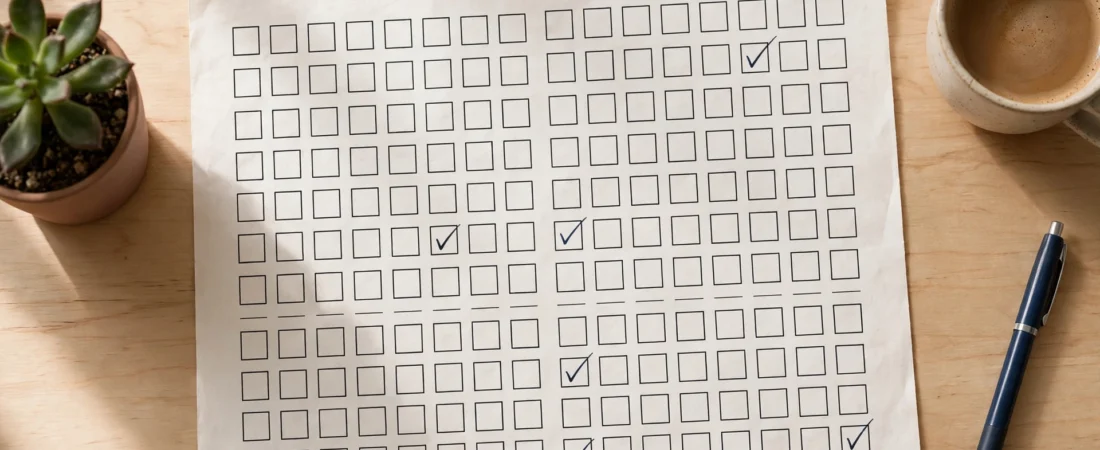
A habit tracker printable template, free and ready to use, is still the simplest way to keep a new routine visible. No app to open, no password to remember, no notification to swipe away. You print a page, stick it where you’ll actually see it, and tick a box each day you do the thing. That’s the whole system, and honestly, that’s why it works.
The catch is that most free templates are just a grid. A grid records whether you did something — it doesn’t help you decide what counts as done, or what to do on the day it all falls apart. This guide covers two templates, a monthly grid and a weekly sheet, and the small decisions that turn either one into something you’ll still be using in February.
The monthly template: one page, the whole month
The monthly habit tracker is a landscape grid. Your habits run down the left-hand side, one per row, and the days of the month run across the top, numbered 1 to 31. Each box is one habit on one day. Tick it, cross it, or shade it in — whatever feels satisfying.
Most monthly templates fit eight to twelve habits on a single page. Don’t fill all twelve. Three is the right number to start with, five at most if you’re feeling brave. A full grid looks ambitious on day one and quietly accusing by day nine. Start with the smallest set you could keep going during your worst week, then add one more once the first three feel easy.
The monthly layout earns its keep in two ways. First, streaks. A run of ticks across a row is visible proof that you’re doing it, and most people will do a surprising amount to avoid breaking a visible chain. Second, patterns. After three weeks you can see at a glance which days keep breaking — the same weekday, the weekend, the day after a late night. A weekly sheet won’t show you that. A month will.
The monthly template works best for habits you already do most days and want to keep steady — the morning walk, the glass of water with breakfast, reading before bed. One warning: an empty box on day two feels worse here than anywhere else, because the whole month is staring back at you. If that bothers you, start weekly and graduate to monthly once the habits have settled.
The weekly template: seven days, one fresh start
The weekly habit tracker gives you one week per page. Seven columns, one for each day, and a row for each habit — usually room for up to ten. Many weekly templates also leave space for a short review box at the bottom, which is worth using. Two lines on what went well and what got in the way beats simply counting ticks.
The weekly sheet’s real advantage is the fresh start. Every Monday (or Sunday, depending on the version you print) you get a blank page. A bad week stays on last week’s sheet instead of following you around for the rest of the month. That’s why it’s the better template for new routines, or for restarting after a rough patch. If you’ve tried a monthly grid before and abandoned it by the 12th, the weekly page is probably the format that was missing, not the willpower.
Weekly templates also leave more room around each day. Where the monthly grid gives you a small square, the weekly sheet can fit a “done means” column next to each habit. “Walk 20 minutes, any pace” is trackable. “Exercise” isn’t.
Which template should you pick?
If you’re still deciding, start with the weekly template for the first two weeks, then move to the monthly grid once the habits feel settled. That order matches how routines actually form: a shaky start, then a stretch where the main risk is drifting off, not failing outright.
Pick the monthly grid if your habits are already mostly in place and you want to see streaks and spot the days that keep breaking. Pick the weekly sheet if you’re building something new, restarting after a break, or you know a full month of empty boxes will put you off. Use both together only if you genuinely enjoy the paperwork — most people quietly stop ticking everything twice by week three.
One more practical choice: Monday start or Sunday start — pick the version that matches how your week actually begins. Check the paper size before you print, too: most free templates come in A4 and US Letter, and the wrong one leaves you with a grid that runs off the edge. Print the monthly grid in landscape so the 31-day row fits, and use “fit to page” if your printer offers it — regular paper and black-and-white ink are fine, and a test page saves a ream of frustration.
How to set up your printable in five minutes
You don’t need a special app or a design tool. A blank grid and a pen will do, but five minutes of setup now saves a month of arguing with yourself later.
- First, write down no more than three habits. Pick the ones that matter most right now, not the ones that sound impressive. “Walk 20 minutes” beats “get fit”. “Read ten pages” beats “read more”.
- Second, give each habit a definition of done. Write it on the sheet, next to the habit name, in plain words. “Phone off by 10pm, in the drawer” leaves no room for negotiation at 10:15. “Drink water” leaves all of it.
- Third, attach each habit to something you already do every day. After breakfast, after your shower, when the kettle boils. A habit with no cue attached to it is just a hope with a checkbox.
- Fourth, decide the tiny version — the smallest form of the habit that still counts. One page instead of ten, five minutes of stretching instead of a full workout. The tiny version is what you do on a bad day so the chain survives.
- Fifth, decide where the sheet lives. A tracker in a drawer tracks nothing — tape it inside a cupboard door, next to your toothbrush, or on the fridge. If you have to go looking for it, you’ll stop looking.
If you’d rather skip the paper entirely, our free online habit tracker does the same job on screen — no sign-up, no download, and it keeps your streaks for you. Some people print the sheet for the fridge and use the online tracker when they’re out. Both count, as long as you’re only tracking in one place at a time.
The four rules that make a paper tracker work
A printable is only as useful as the rules you follow with it. The design matters far less than these four, and they’re the difference between a sheet that lasts the month and one that ends up under a pile of post by the 8th.
Track three habits, not ten. This one’s worth repeating because it’s the rule everyone breaks first. A half-filled grid of three habits teaches you something. A grid of ten with two ticks teaches you that you overreached, which you already knew.
Decide what “done” means before you start. “Meditate” is a mood, not a habit. “Sit for five minutes after lunch” is a habit. Write the definition on the sheet itself, because future-you at 11pm will try to renegotiate it.
Never miss twice. One missed day is noise — a late meeting, a bad night’s sleep, a day that simply got away from you. Two in a row is the start of a new pattern. When you see a single empty box, the only job tomorrow is to fill the next one, even with the tiny version. The research backs this up: in the University College London study that tracked real habit formation, missing the occasional day didn’t seriously slow people down. What mattered was getting back to it.
How long should you expect this to take? The same UCL study — Lally and colleagues, 2010 — found an average of 66 days for a new behaviour to feel automatic, ranging from 18 days for one person to a forecast 254 for another. Forget the 21-day figure you’ve heard everywhere; that traces back to a 1960 book about surgery patients getting used to a new face, not to a habit study at all. Plan on two or three months of sheets. If you want the full story, our guide on how long it takes to form a habit breaks down what the research actually says.
Paper or app: which actually sticks?
Nobody has run a proper study comparing paper trackers with app trackers head to head, so this is a practical argument, not a proven one. But the trade-offs are clear enough to choose from honestly.
Paper wins on visibility and friction. It’s always there, it never needs charging, and ticking a box with a pen feels more final than tapping a screen. It also wins on honesty: there’s no streak-freeze, no “rest day” button, no algorithm quietly forgiving you. The sheet shows what happened.
An app wins on memory and maths. It remembers your streaks, totals your days, and reminds you at 7pm when you’ve forgotten. It also travels with you, which matters if your routine happens away from home. Our free habit tracker runs in the browser with no sign-up, so you can check a box from your phone without installing anything.
The honest answer is that the best tracker is the one you’ll look at tomorrow. If a sheet on the fridge gets ticked every night and an app gets ignored after day four, the paper wins for you. Just don’t track the same habit in two places and count it twice. If paper is your choice but you’ve been tracking in an app until now, our guide to tracking habits without an app covers the switch.
Frequently asked questions
Are these habit tracker templates really free?
Yes. The monthly and weekly templates described here are free to use — no email sign-up, no payment, no account. Print as many copies as you like; the digital version is free with no sign-up too.
Should I use a monthly or weekly habit tracker?
Start weekly if the habit is new or you’re restarting after a break — each week is a fresh page, and a bad week doesn’t follow you around. Move to the monthly grid once the habit feels settled and you want to see streaks and spot which days keep breaking.
How many habits should I track on one printable?
Three to start with, five at most. Most templates have room for eight to twelve, but a full grid looks ambitious on day one and discouraging by day nine. Add one more only once the first three feel easy — during your worst week, not your best.
What paper size should I print a habit tracker on?
Most templates come in A4 and US Letter versions, so pick the one that matches your printer. A4 is 210 × 297 mm and US Letter is 8.5 × 11 inches — close, but not close enough to swap. Print the monthly grid in landscape so the 31-day row fits, and use “fit to page” if your printer offers it.
How do I keep using a printable habit tracker after the first week?
Keep it where you’ll see it, track only three habits, and never miss twice. The two biggest reasons people stop are a sheet they can’t see and a grid they overfilled. Print next month’s page before the current one ends, and do a two-minute review each week: what worked, what got in the way, what changes next week.
Can I use a printable tracker and an app at the same time?
You can, but track each habit in one place only. A common setup is paper at home for the daily tick, and the online tracker when you’re out — then reconcile them once a week. If you count the same habit in both places, your streaks will quietly stop meaning anything.
Start with this week’s sheet
A habit tracker printable template, free and uncomplicated, won’t build the habit for you. That’s not its job. Its job is to make the habit visible — to you, every day, in the place where you actually live your life. The monthly grid shows you the streaks and the patterns. The weekly sheet gives you a fresh start every seven days and room to write down what “done” actually means.
Print one page tonight. Write down three habits, define what counts, stick the sheet where you’ll see it tomorrow morning, and tick the first box. Then do it again tomorrow. If you’d rather track on screen, try our free habit tracker — no sign-up, no download — and see which one you’re still using in a month.