Arrow puzzle games have crept up on everyone. One minute you’re scrolling past a clip of coloured arrows sliding off a board, the next you’re three levels deep, muttering at your phone because a corridor you swore was open turned out to be a dead end. There’s something weirdly satisfying about them: no timer screaming at you, no opponent, just a board and one simple job — follow the arrows and clear the path.
If you’ve landed here looking for a version you can play right now without installing anything, you’re in the right place. Our free arrow puzzle runs in your browser at savehd.app, with 100 levels, no sign-up, and nothing to download. This guide explains how the game works, the rules that trip new players up, and the habits that’ll get you through the harder levels without burning all your hints on level 12.
What is an arrow puzzle game?
At its core, an arrow puzzle is a logic game built on a single idea: arrows can only move the way they point, and only when nothing’s in their way. Everything else — the graphics, the level count, the lives — is decoration around that one rule.
There are two main flavours floating around, and it’s worth knowing which one you’re looking at, because they play differently.
The first is the tap-away version you’ll find in the app stores — Easybrain’s Arrow Puzzle is the best-known one, and there are dozens of clones with names like Arrow Escape and Tap Away. The board is a grid packed with arrows pointing in different directions. You tap an arrow, and if the path ahead of it is clear, it slides off the board. If something’s blocking it, it stays put and you lose one of your three hearts. Clear every arrow and the level’s done. It’s calm, it’s oddly addictive, and some of these apps claim 10,000 levels or more.
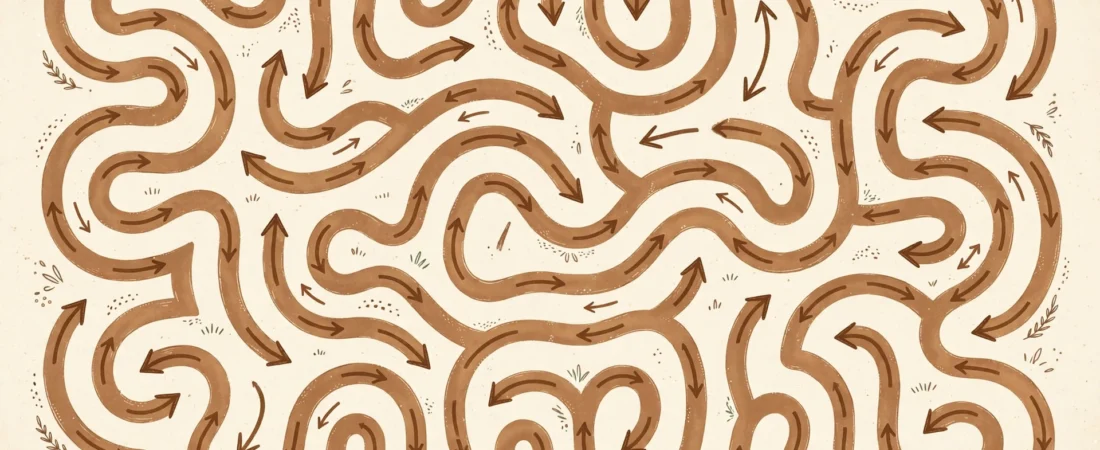
The second flavour is the maze-path version, which is the one we built. Instead of a grid of loose arrows, you get a board of winding corridors — brown paths on a cream background, with little arrowheads embedded in the path showing you which way each corridor runs. Your job is to tap your way along the correct corridor from the start to the exit. The corridors never overlap and never cross, so the puzzle is really about reading the maze: which turn is real, and which one strands you in a dead end.
Both versions reward the same skill. It’s not speed, and it’s not reflexes. It’s patience — the willingness to look at the whole board before you touch anything.
How to play arrow puzzle on savehd.app
Playing our version takes about ten seconds to learn. Here’s the whole thing:
Open the arrow puzzle page and you’ll see the board: a 9-by-12 grid of winding paths. Tap a tile to move along a corridor, following the direction the arrowheads point. Keep going until you reach the exit and the level clears. That’s the game.
A few things you’ll notice while you play. Your lives show up as three blue droplets at the top of the screen — tap a dead end and one of them disappears in a red flash. The lime-green hint button gives you three hints per level; tap it and the game highlights a safe move. And your progress is saved on your device, so you can close the page mid-level and pick up where you left off.
There are 100 levels, and the difficulty climbs steadily. The early ones are short and forgiving — a couple of turns, one obvious route, done in under a minute. By the time you’re past level 30, the corridors get longer, the dead ends get sneakier, and you’ll actually need to think two or three turns ahead. Every level has been checked to make sure it’s solvable, so if you’re stuck, it’s a reading problem, not a broken board.
The three rules that catch new players
Most people lose their first life within about thirty seconds, and it’s almost always one of these three things.
A dead end costs a life. This is the one that stings. In the tap-away apps, a blocked arrow costs a heart; in our maze version, tapping into a dead end costs a droplet. Either way, you’ve got three per level, and when they’re gone, you restart the level. The good news is that restarting is instant and free — there’s no energy meter, no waiting, no watching an ad to try again. But it still smarts when you lose a life on a corridor you could have checked first.
You can’t jump between corridors. The paths on the board never cross and never merge, which means there’s exactly one route through any given stretch. If the corridor you’re on bends left, you go left. There’s no shortcut, no hopping across to the path that looks more promising. New players keep trying to cut corners that don’t exist.
Hints run out. Three per level sounds generous until you’re on a late level staring at five possible turns. The hint button will highlight a safe move, but once you’ve used all three, you’re on your own until the next level. Save them for the moments when you’re genuinely stuck, not for the first turn that looks slightly tricky.
7 tips that actually help
- Scan the whole board before your first tap. Spend ten seconds looking at where the corridors actually go. The exit is usually obvious once you stop staring at the start.
- Work backwards from the exit. Trace the corridor that leads into the finish, then follow it back to where it starts. It’s often easier to spot the real route in reverse, because dead ends are easier to eliminate from that end.
- Clear the edges first. Corridors that hug the border of the board are usually simpler, and clearing them early opens up the middle.
- Watch the arrowheads, not the path. The little arrows embedded in each corridor tell you the direction of travel. A corridor that looks like it leads somewhere useful might be pointing the wrong way entirely.
- Don’t tap on a hunch. If you’re choosing between two turns and genuinely can’t tell which is right, pause. A wrong tap costs a life; ten seconds of looking costs nothing.
- Save your hints for the last third of a level. Early corridors are short and the mistakes are cheap. The nasty dead ends hide near the exit, where a wrong turn wastes the most progress.
- Restart without shame. Some levels click faster on a second look than they do after five minutes of staring. Since restarting is free and instant, it’s often the fastest way through a level that’s got you tied in knots.
What changes as the levels climb
The first ten levels are basically a tutorial with the training wheels off — short corridors, wide turns, dead ends you can spot from the start tile. They’re designed to teach your eyes how to read the board, and most people clear them without losing a single droplet.
Somewhere around level 20, the corridors start doubling back on themselves. A path will run the full height of the board, loop around, and come back to within a tile of where it started. That’s where players start losing lives, because the board looks busier than it is — half of what you’re seeing is one long corridor, not five short ones.
Past level 50, the boards fill up. Nearly every tile is part of a corridor, the turns come thick and fast, and the dead ends sit right next to the real route, one tile apart. This is where the backwards-from-the-exit habit pays for itself. It’s also where the three-hint limit starts to feel tight, which is the point — by then you’re supposed to be reading the board properly.
All 100 levels are solvable, and none of them hides the solution behind a paywall. If a level feels impossible, it’s a sign to slow down, not a sign to pay up.
Why people keep coming back
Arrow puzzles sit in a sweet spot that a lot of puzzle games miss. They’re calm — there’s no countdown, no leaderboard breathing down your neck, no opponent waiting on the other side. But they’re not passive either. Every level asks you to actually think, just for a minute or two, and then it gives you that small, clean payoff when the last corridor clears and the board empties.
They’re also built for the gaps in a day. A level takes one to three minutes, which is exactly the length of a coffee queue, a bus stop, or the five minutes before a meeting starts. You can play one level or twenty; the game doesn’t punish you for stopping, and it doesn’t nag you to come back.
I’ll be honest about one thing, though: this isn’t going to make you smarter. It’s a pleasant logic workout, not a brain-training programme, and anyone telling you otherwise is selling something. What it will do is give your brain a short, focused problem to chew on — and for a lot of people, that’s exactly what a break is supposed to feel like.
Where to play arrow puzzle free
The simplest option is the one on this site. Our arrow puzzle is free to play in your browser — phone, tablet, or desktop — with no download, no account, and no ads interrupting your level. Just open the page and start tapping. Your progress saves on your device, so level 47 will still be waiting for you tomorrow.
If you’d rather have an app, Easybrain’s Arrow Puzzle is free on Google Play and the App Store, and the browser version at arrowpuzzle.fun runs the tap-away style with 100+ levels and picture-shaped boards. YouTube Playables has a version too, called Arrows: Puzzle Escape, which passed 3 million plays in its first couple of months. They all share the same idea — read the board, find the order, clear it — so the version you pick mostly comes down to whether you want an app or a browser tab.
For most people, the browser version wins on convenience. There’s nothing to install, nothing to update, and nothing asking for permissions. You tap a link, you play a level, you get on with your day.
Frequently asked questions
Is arrow puzzle free to play?
Yes. The version on this site is completely free — all 100 levels, no download, no sign-up, no in-app purchases. The well-known app versions are free too, though some include ads or optional purchases.
Do I need to download an app to play?
No. Our arrow puzzle runs entirely in your browser on any phone, tablet, or computer. There’s nothing to install and no account to create.
How many levels are there?
100 levels, getting steadily harder. Every level has been verified as solvable, so you’ll never hit one that’s impossible to finish.
What happens if I tap a dead end?
You lose one of your three blue droplet lives for that level, and the screen flashes red. Lose all three and you’ll restart the level — but restarting is instant and free, so you can try again straight away.
Is there a time limit?
No. There’s no timer and no countdown. Take as long as you like on each level — the puzzle is about reading the board correctly, not quickly.
Can I play arrow puzzle on my phone?
Yes. The game is designed for touchscreens and works on phones and tablets as well as desktops. The board scales to fit your screen, and progress saves on your device.
Give it a go
Arrow puzzle games are easy to dismiss as something to fill a spare minute — until that spare minute turns into twenty and you’re determined to clear one more board. That’s the whole appeal: a small, honest puzzle with no tricks, no timer, and no catch.
If you fancy a round, our free arrow puzzle is waiting on the site — 100 levels, no download, no sign-up. Start at level 1, learn the board, and see how far you get before a dead end catches you out. And if you want another quick browser game while you’re here, our free online coin flip is just as instant — same deal, no install, no account.